5.0
Reviewed May 30, 2026This course is very helpful for learning cPanel management from the basics.

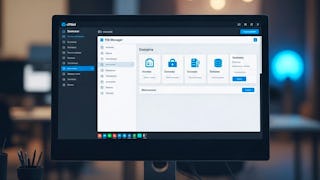
Build practical cPanel skills to configure, manage, and optimize a website hosting environment with confidence. Designed for beginners, aspiring web administrators, entrepreneurs, and students, this course provides a step-by-step introduction to the cPanel interface and essential website administration tasks. You’ll begin by exploring the cPanel dashboard and learning to identify and interpret its key features. You’ll then configure domain registration, hosting accounts, and name server connections to establish a functional online presence. As you progress, you’ll customize dashboard settings, update account details, manage users securely, and use cPanel’s File Manager and Image tools to control website files and media. By the end of the course, you’ll be able to navigate cPanel, connect domains to hosting accounts, maintain account settings, and manage files and images for smoother website deployment and maintenance. What makes this course distinctive is its structured progression from hosting fundamentals to practical account and file management. Theory, focused demonstrations, and lesson objectives based on Bloom’s Taxonomy help you understand not only how cPanel tools work, but also how to apply them to real-world hosting needs. Enroll to develop the practical skills needed to manage your hosting environment more independently and reduce reliance on technical support.
This course is very helpful for learning cPanel management from the basics.
This program provides detailed insights into cPanel features while keeping the explanations simple and easy to follow. The user management and file handling sections are particularly useful.
The lessons on domain management and file handling are very practical and easy to follow.
This course provides a strong foundation in cPanel and hosting essentials. The lessons on domain setup, dashboard navigation, and file management are especially helpful for beginners.
The concepts of hosting and website management were explained clearly.
A well-structured course that combines theory with hands-on learning effectively. It strengthened my understanding of hosting operations and best practices.
The course does a great job of progressing from basic setup to advanced customization features. It helped me gain confidence in managing hosting environments independently.
A beginner-friendly course that clearly explains how to navigate and use cPanel effectively.
A highly practical course that simplifies website hosting and management concepts. The demonstrations and real-world examples make it easy to apply the skills immediately.
An excellent learning experience for aspiring web administrators and entrepreneurs. The focus on practical workflow optimization adds great real-world value.
This course made cPanel management much easier to understand for new users.
Easy to understand lessons with practical cPanel examples.
Showing: 17 of 17
cPanel Basics: Configure, Manage & Optimize is an excellent beginner-friendly course that explains hosting and cPanel management in a very clear and structured way. The step-by-step approach makes learning easy and practical.
Overall, this course delivers a complete and practical introduction to cPanel, equipping learners with the confidence and skills needed to configure, manage, and optimize hosting environments effectively.
This program provides detailed insights into cPanel features while keeping the explanations simple and easy to follow. The user management and file handling sections are particularly useful.
This course provides a strong foundation in cPanel and hosting essentials. The lessons on domain setup, dashboard navigation, and file management are especially helpful for beginners.
An ideal course for students and professionals looking to build practical website management skills. The Bloom’s Taxonomy-based objectives make the learning outcomes very clear.
The course does a great job of progressing from basic setup to advanced customization features. It helped me gain confidence in managing hosting environments independently.
A highly practical course that simplifies website hosting and management concepts. The demonstrations and real-world examples make it easy to apply the skills immediately.
An excellent learning experience for aspiring web administrators and entrepreneurs. The focus on practical workflow optimization adds great real-world value.
A well-structured course that combines theory with hands-on learning effectively. It strengthened my understanding of hosting operations and best practices.
The lessons are engaging and professionally organized, making cPanel management approachable even for non-technical learners.
A beginner-friendly course that clearly explains how to navigate and use cPanel effectively.
Very helpful course for understanding cPanel basics. Easy to follow and practical examples.
The lessons on domain management and file handling are very practical and easy to follow.
This course is very helpful for learning cPanel management from the basics.
This course made cPanel management much easier to understand for new users.
The concepts of hosting and website management were explained clearly.
Easy to understand lessons with practical cPanel examples.